Learning Modes and Threads
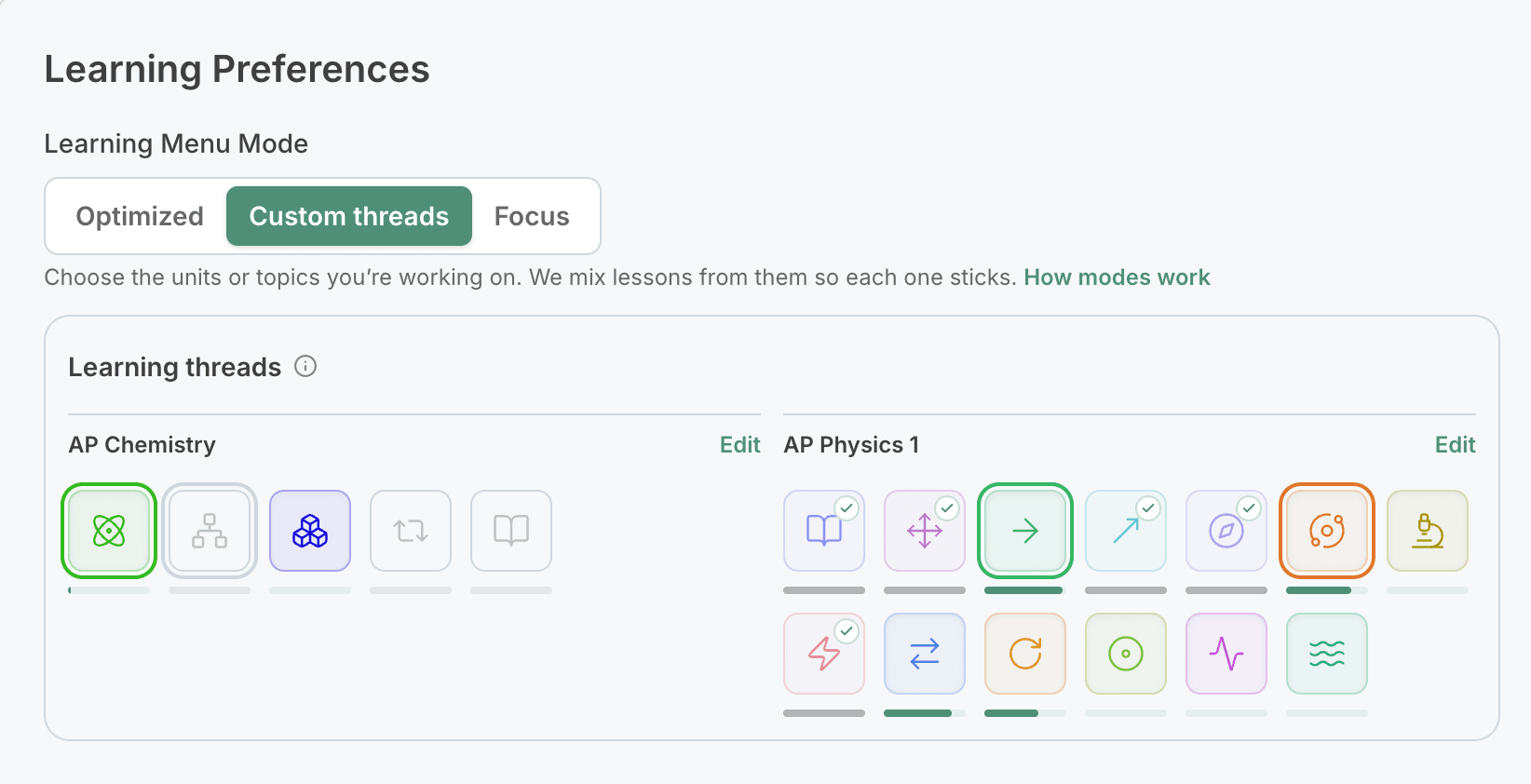
PhysicsGraph decides which new lessons to offer you using one of three learning modes. You can change modes any time on the settings page.
| Mode | Who picks what you learn | Best for |
|---|---|---|
| Optimized (default) | We do | Most learners, most of the time |
| Custom threads | You do, one to three per course | Working on specific units in your own order |
| Focus | You pick one goal | Getting to one topic or unit fast, like before a test |
Reviews keep coming in every mode, so nothing you've learned is left to fade.
Learning threads
A thread is a unit, or a single topic inside a unit, that you're learning right now. New lessons come from your threads, including any prerequisite lessons a thread needs.
We don't finish one thread before starting the next. The next lesson usually comes from the thread you've worked on least recently, so you move back and forth between them. That's interleaving: switching makes each lesson a little harder in the moment, but it acts as built-in review, so you remember more later.
If none of your threads has a lesson ready (for example, while you wait to retry a lesson), we offer lessons from the rest of the course instead of leaving you stuck.
Optimized mode
Your threads are your next unfinished units, in course order: three if you take one course, or two per course if you take several. When you finish a unit, the next one takes its place.
Custom threads
You choose the threads, from one to three per course. Open Settings, choose Custom threads, and click Edit next to a course.
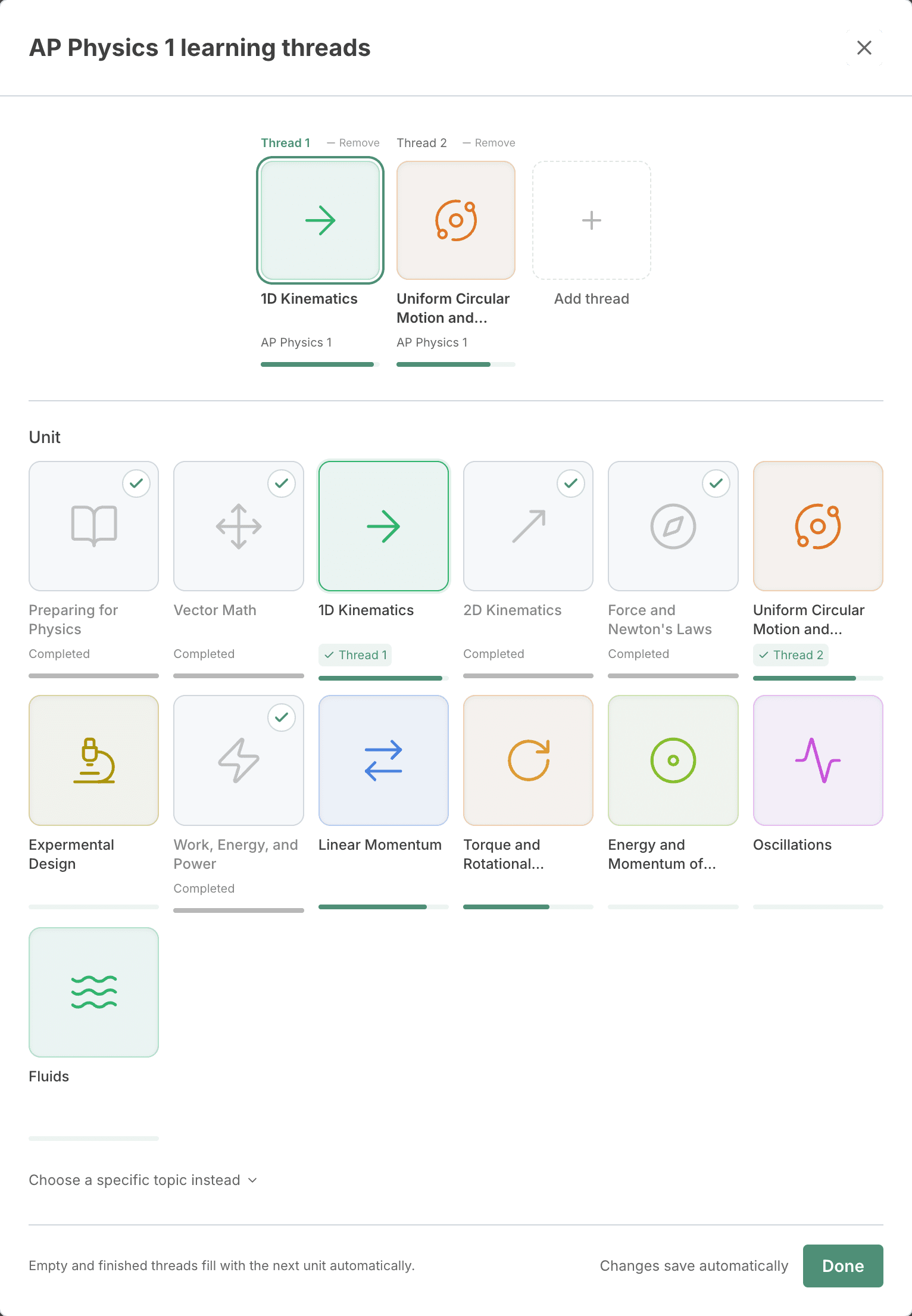
- Click a unit to use it for the selected thread, or drag it onto any thread.
- To work toward one topic in a unit, click Choose a specific topic instead. A topic thread includes the prerequisites you need for it.
- Empty threads, and threads you finish, fill with your next unit automatically.
A unit marked Needs prerequisites can't start yet. Finish the topics it builds on first, and it becomes available.
Focus mode
Pick one topic, several topics, or a whole unit, and we offer only the lessons that lead there. Your threads pause until you finish. Then you'll switch back to Optimized mode and can choose a new focus. More about Focus mode.
In practice, this is similar to custom threads mode with one thread. We may at some point merge the two options.
For teachers and parents
You can see and edit each student's threads from your roster or the student's page. Editing a student's threads switches them to Custom threads.
- Keep these threads assigned until the student finishes them stops the student from changing those threads, or switching modes, until every assigned thread is finished. Their threads then show Assigned until finished.
- A classroom focus goal pauses threads for the students in that class until the goal is finished.
- In organization settings, Students can choose their own threads controls whether students can edit their threads. It's off by default for schools and on for families. When it's off, students can still switch learning modes unless their threads are assigned.
Learn what you want, in an order that sticks.
Start with a 7-day free trial and choose how PhysicsGraph picks your next lessons.