Family Mode
A family account gives parents one place to manage their children's science progress.
- View your children's progress
- Set study goals
- Manage subscriptions
- (optionally) Take some courses yourself
You can also create accounts for students who don't have email addresses.
Track your children's learning
In the family dashboard, you can see all of your children's learning progress, including which courses they're enrolled in, how far they've progressed, and how much active learning time they've spent recently.
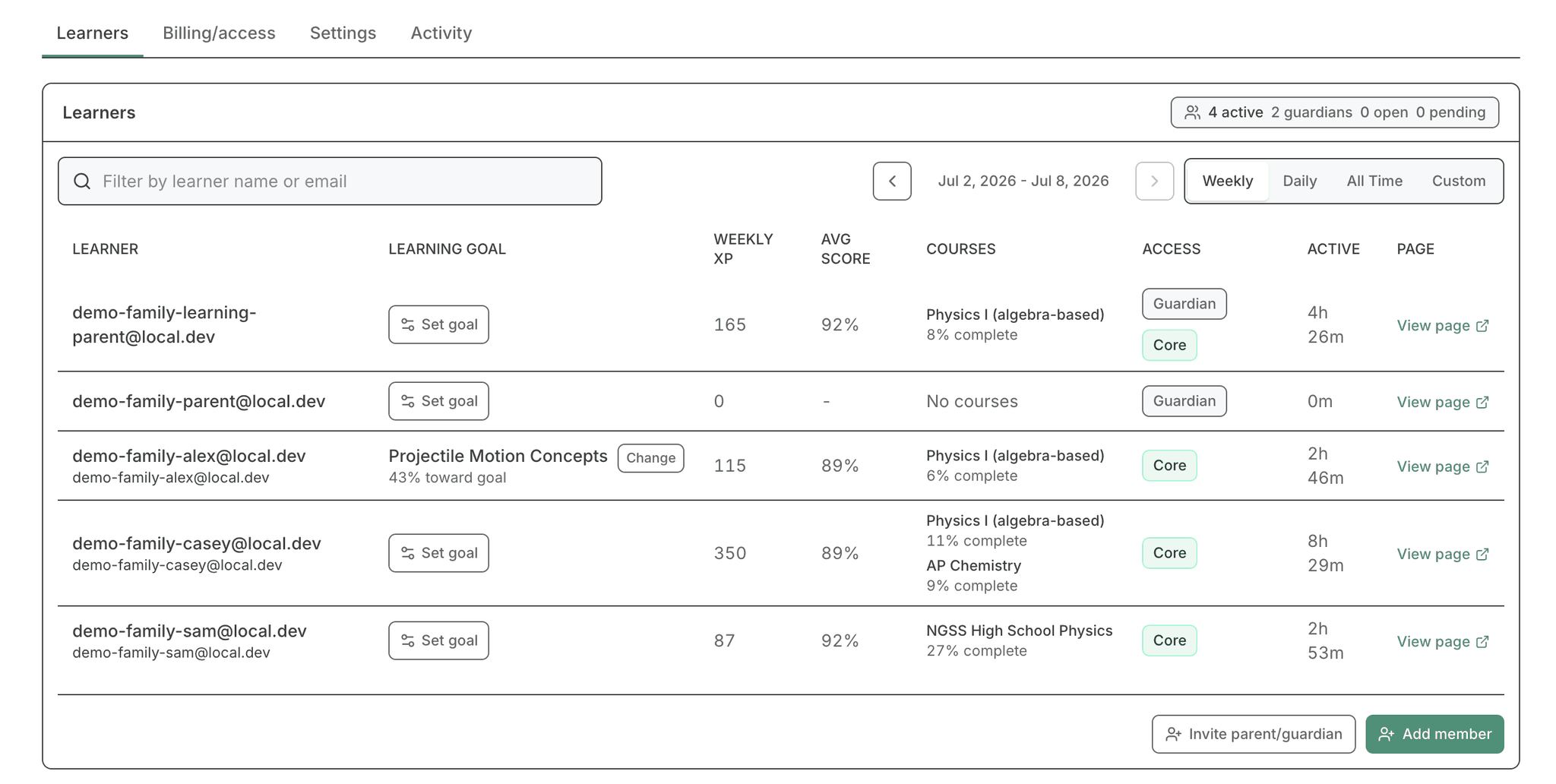
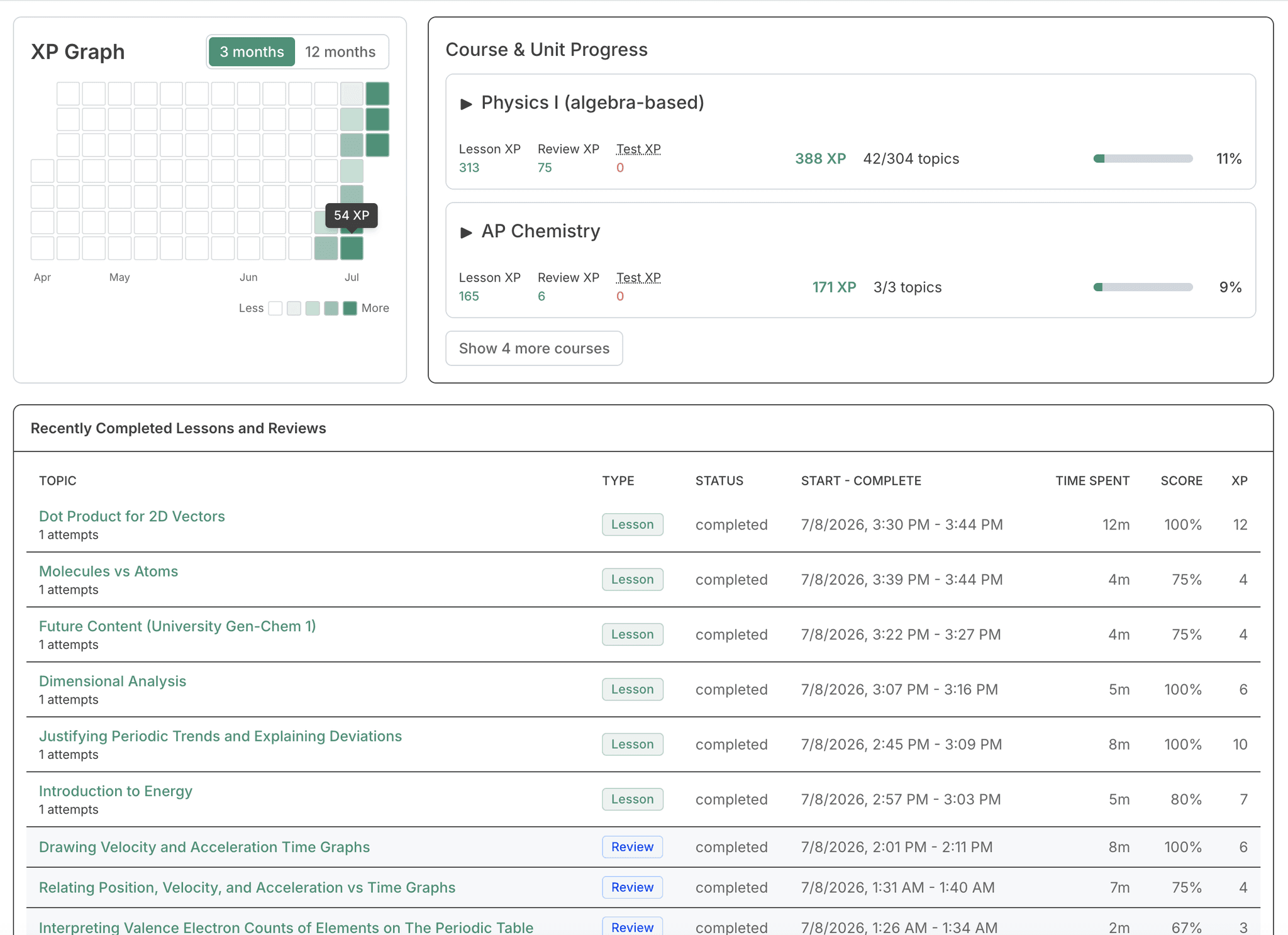
You can also see an individual page for each student, which will show you
- how much XP they've earned on each day
- progress through each course, optionally split by unit
- their recently completed lessons and reviews, and how much time they've spent on each
You can also log in as the student and view what it looks like from their perspective, although you won't be able to take any actions as them.
Set goals for your children
For many families, they won't need the goal-setting feature. With the default PhysicsGraph experience, your children will thoroughly learn everything in the courses they're enrolled in.
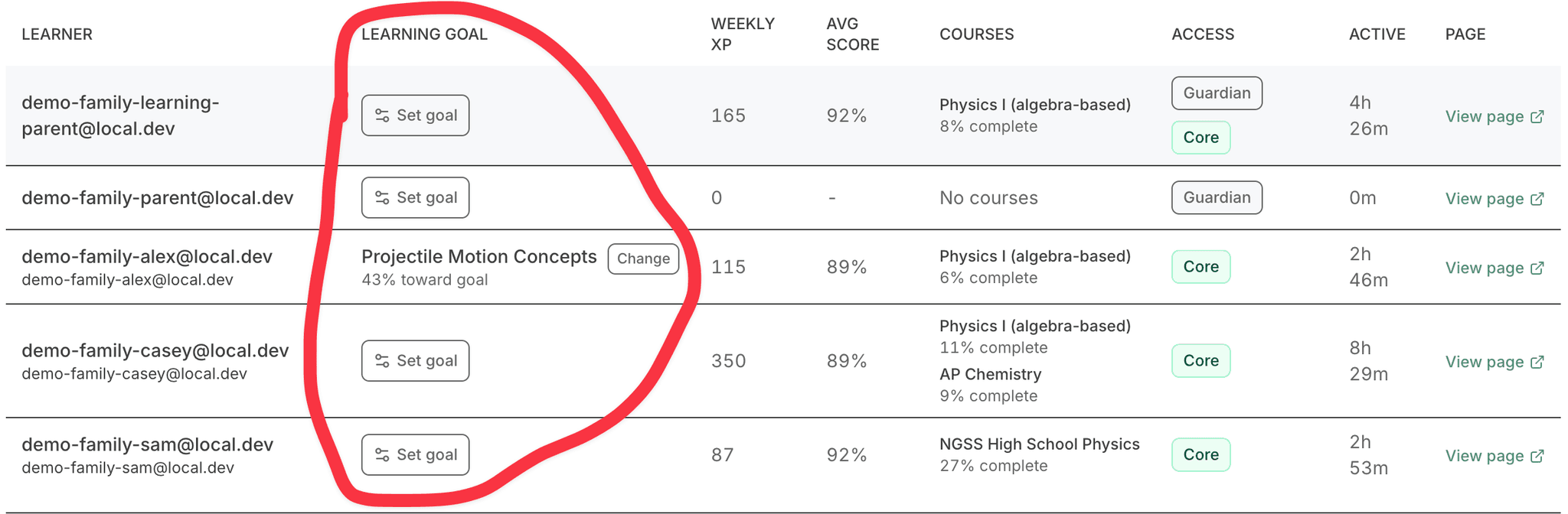
However, there might be a particular topic they're especially interested in, or they might need to reach a certain point quickly for a dual-credit class. In these cases, you can set goals for them to help them focus their learning.
First, click the "Set goal" button for a student on the learner table.
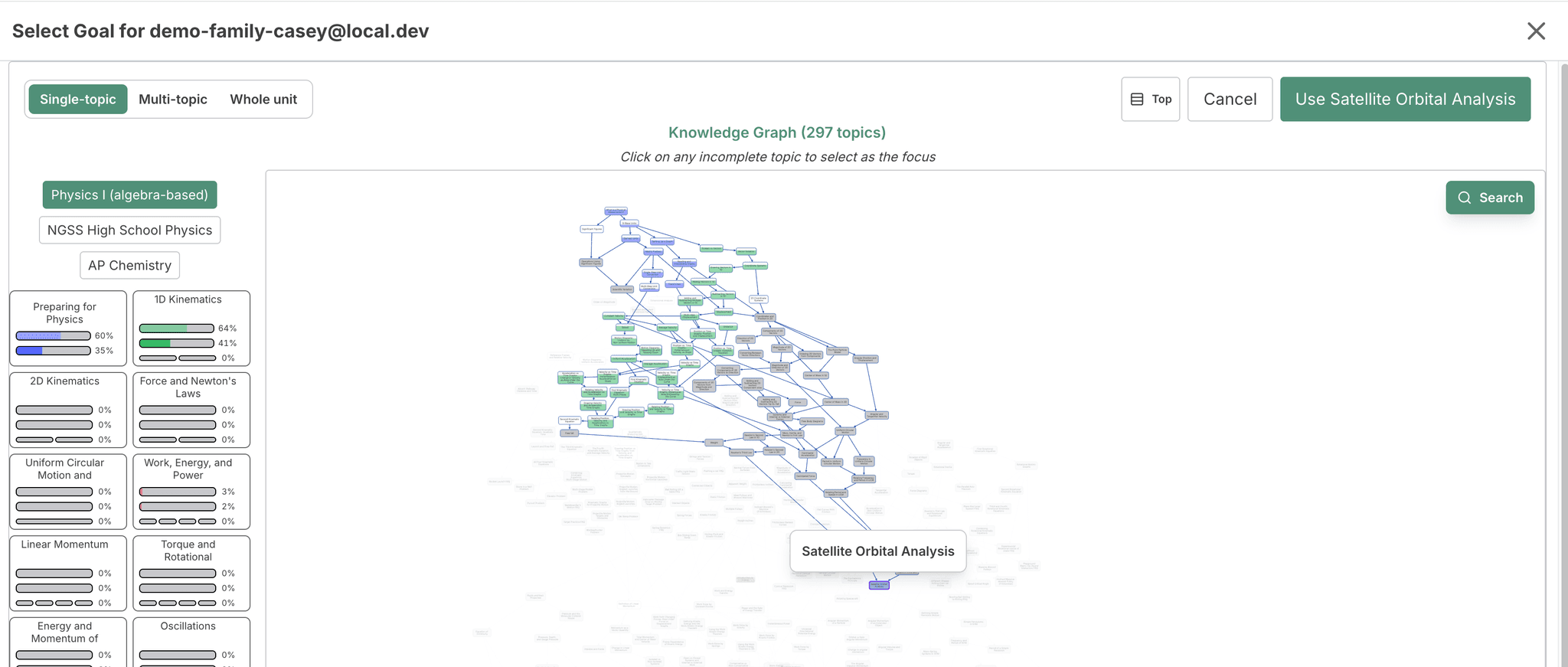
Then, select the goal you want them to aim towards.
Once it's selected, they'll only be given new lessons that will help them reach that goal. You can also see their progress towards the goal and how close they are to completing it.
Getting started
If you're signing up for the first time, choose the "family account" option and follow the prompts to create an account for yourself and your children. It should be very easy to set up.
If you already have an individual account, you can convert it to a family account by clicking the "Convert account" button on the account settings page.
Set up learning for the whole family.
Start with a 7-day free trial and manage learner access, progress, and billing from one family dashboard.